Credibility Score
Run scan
SEO, trust, accessibility, and performance
Page Credibility Audit
Scan important pages for clarity, trust, SEO, accessibility, performance, and conversion readiness so your team can see exactly what needs attention before visitors decide.
Audit Snapshot
Page Credibility Audit combines technical health, content clarity, trust markers, social preview readiness, speed, keywords, headings, images, and links into a diagnosis your team can act on.
Run scan
SEO, trust, accessibility, and performance
Pending
Alt text, size, and blocking signals
Pending
Internal navigation and social connections
Preview
Suggested fixes unlock after signup
What You Get
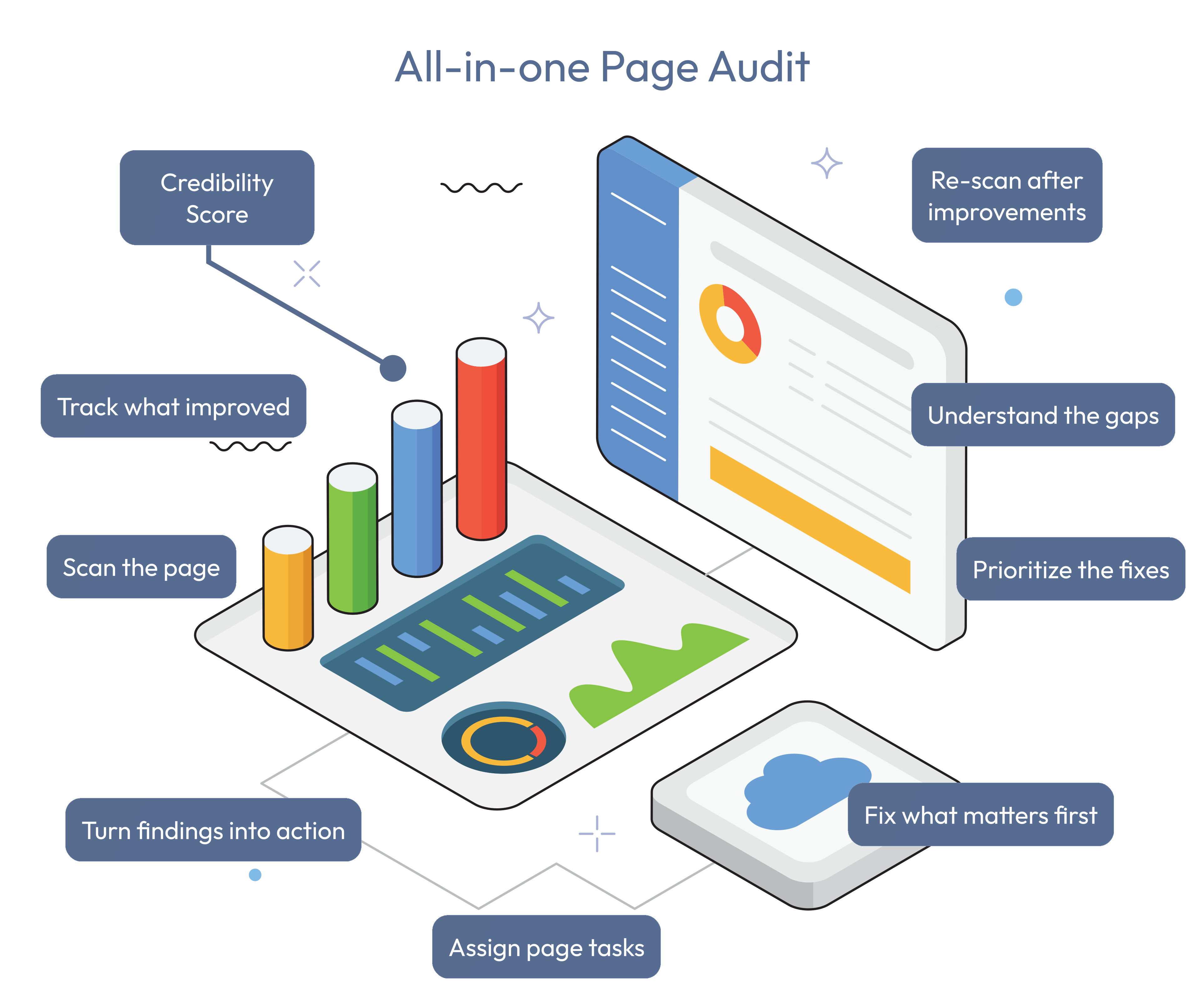
The audit is useful because it converts scattered page signals into outcomes your team can understand, prioritize, and verify after changes.
See whether the page is missing the signals that help people trust, understand, and continue.
Turn one page scan into a practical improvement list across SEO, speed, structure, content, and links.
Give every team the same page-level evidence so fixes do not get lost in opinion or disconnected reports.
Re-scan after changes and compare the result so progress becomes visible instead of anecdotal.
What Gets Checked
The audit is organized into practical tabs so specialists can go deep while stakeholders still understand which gaps deserve attention first.
A single credibility score with SEO, accessibility, trust, and performance breakdowns.
Redirect chains, status behavior, and timing across navigation steps.
Requests, transfer size, TTFB, FCP, interactivity, CLS, and paint timings.
Short-tail and long-tail terms from metadata, headings, links, image alt text, and body copy.
Page text preview, readability context, topical clarity, and searchable terms.
Document outline and heading hierarchy across H1, H2, H3, and deeper sections.
Internal links, social links, CTA labels, and link-level improvement tips.
Page Intelligence
A page can rank, load, and still fail to build trust. Page Credibility Audit shows whether the page gives search engines, buyers, and stakeholders the signals they need to believe and act.
Verify the essentials that influence indexability, social previews, and user confidence.
Connect credibility with speed by reviewing the load and paint metrics that shape user perception.
See how search engines may interpret the page from visible and hidden text sources.
Inspect the visible page text and heading hierarchy so content teams can improve clarity and structure.
Review internal navigation, social connections, and CTA labels that shape what visitors do next.
For verified own brands, convert scan findings into page-level tasks so SEO, content, and development fixes stay tied to the audited URL.
Page Actions
Verified domains can use the Page Actions / Tasks panel to create tasks from suggested fixes, add manual work, and track unresolved page-level actions after each scan.
Suggested Page Actions turn detected issues into trackable tasks for the current audited page.
New Page Task captures your own title, description, and priority when the audit does not list the work yet.
Check requests task verification after a fresh fix so the team can confirm whether the issue is resolved.
Mark Complete handles manual fixes, while Ignore removes actions that are no longer relevant.
Workflow
Start with one URL, inspect the score, fix the highest-impact gaps, then re-scan to confirm the page became stronger.
Enter a URL for a homepage, pricing page, landing page, blog post, product page, or campaign page.
Use the credibility score and category breakdown to understand the page at a glance.
Create suggested tasks for verified own-brand pages, or add a manual page task with priority and details.
Scan again after edits, then check, complete, or ignore active tasks as the page improves.
Understand whether a page gives visitors enough clarity, proof, structure, speed, and next-step confidence to continue.
Catch missing metadata, weak headings, broken structure, slow responses, thin content, and trust gaps before visitors or search systems punish the page.
Turn audit findings into trackable actions, then re-scan to prove whether the page became stronger.
Plan Fit
Compare included domains, saved brands, monthly tokens, and access to audits, search, campaigns, MagnetHub, and reporting workflows.
Start with the page that matters most